How to Configure Projects
Before correctly compiling LaTeX source code, you also need to properly configure the compilation engine. Don't worry! Many complex steps have been encapsulated and hidden by our engineers. In fact, you only need to select a few basic parameters. This document will show you the available features and setting options that you can use to process LATEX source files on LoongTeX.
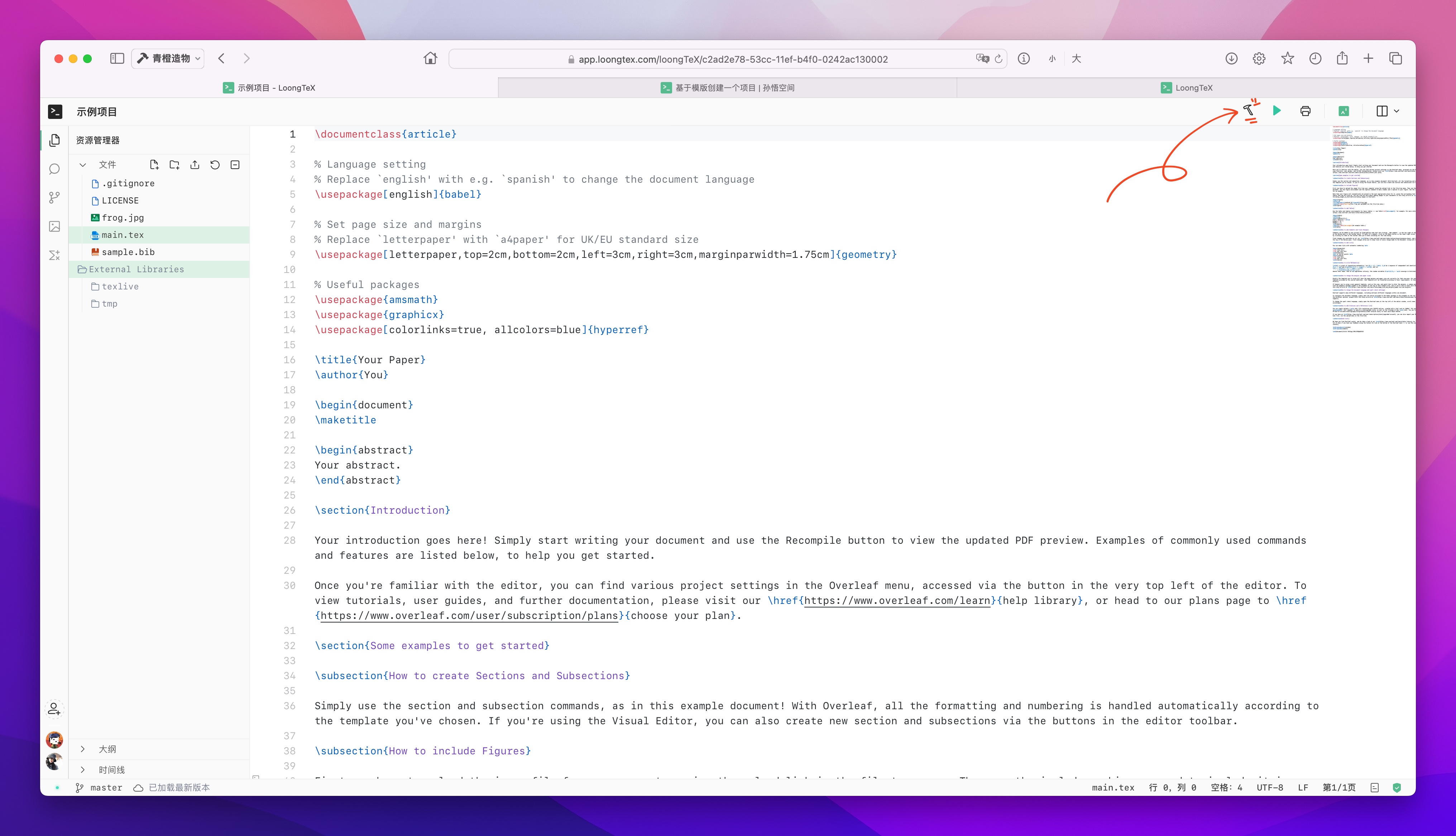
On the Project Management Page, click the project title to enter the editor page. On this page, there is a "small hammer" icon. Clicking it will display more features and configurable settings. As shown below👇
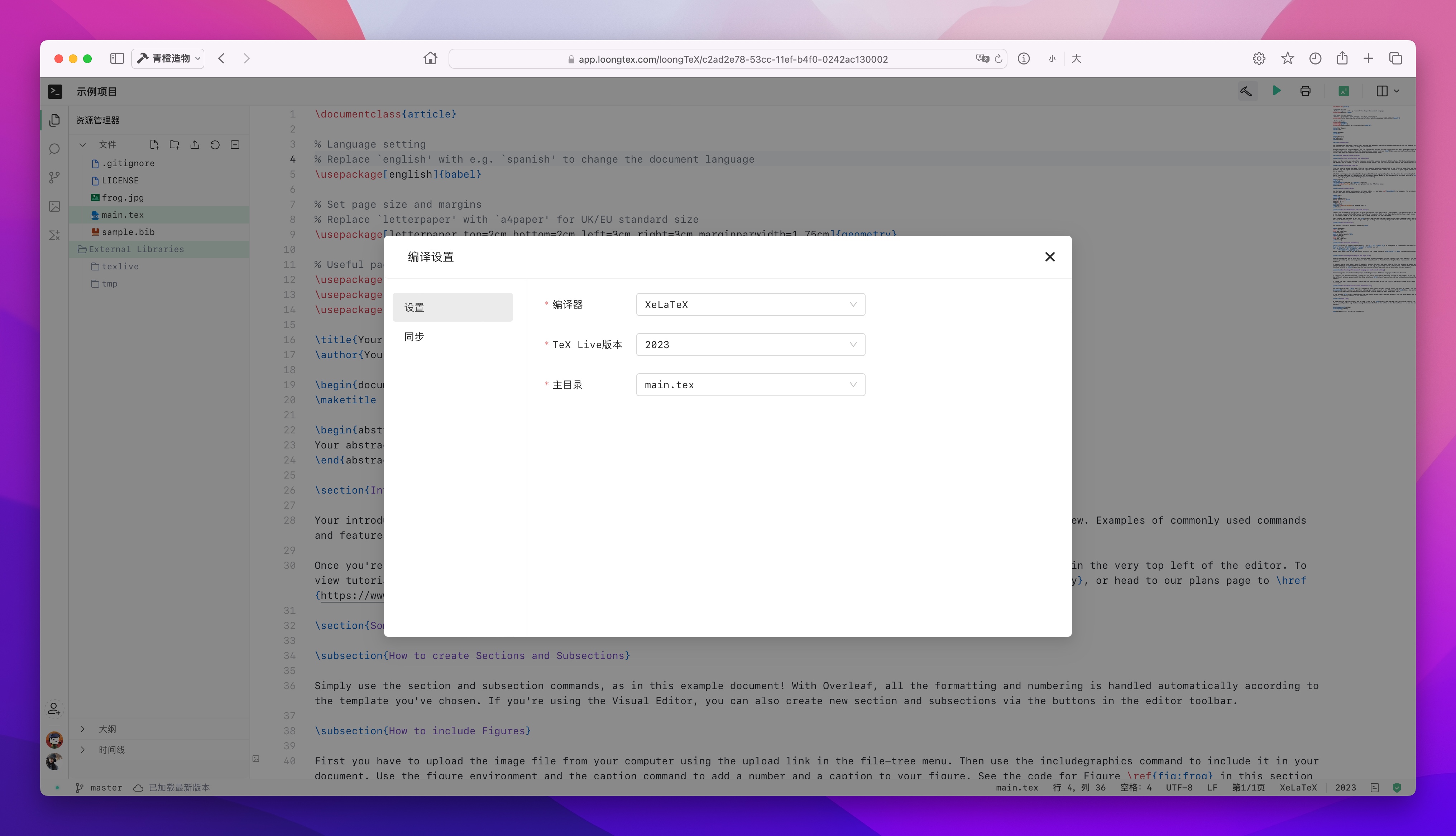
In this dialog, there are two functions:
- Settings: You can set various settings related to the editor and project compilation methods. These settings are specific to this project, and modifying them won't affect other projects.
- Sync: (🌵 This feature requires a subscription plan) This function can directly push/pull your project to/from a GitHub repository without involving a local repository.
LoongTeX —— Making Research Happen Better
FOR TRUTH AND BEAUTY