Collaborative Editing
Unlike the "WYSIWYG, real-time synchronization" collaboration model of mainstream platforms like Overleaf, LoongTeX adheres to a more rigorous and controllable collaboration philosophy. Drawing inspiration from the essence of Git version control systems, it makes code commits the core mechanism for team collaboration.
1. Collaboration Philosophy
LoongTeX firmly believes that traceable versions, controllable changes, and rollback-able merges are core requirements for professional academic documents and team project management. Through Git's commit, branch, and merge mechanisms, the LoongTeX platform enables collaborators to:
- Precisely control every change: Only active commits will save and share your modifications, greatly reducing troubles caused by misoperations and unconscious synchronization.
- Safely integrate multiple contributions: Everyone's work is recorded through successive commits, with clear history and defined responsibilities, allowing for thorough discussion and review during merging.
- Effectively resolve conflicts and errors: When encountering content conflicts, Git mechanisms help you compare, choose, and even revert to historical versions, ensuring document quality and consistency.
- More flexible multi-role collaboration: Team members can independently complete their parts without worrying about synchronization conflicts, ultimately collaborating efficiently through merge mechanisms.
2. Comparison with Overleaf's Collaboration Model
| Platform | Collaboration Method | Change Activation Timing | Conflict Management | Suitable Scenarios |
|---|---|---|---|---|
| Overleaf | Real-time automatic synchronization | Synchronization while editing | Basically no conflicts (later edits overwrite earlier ones) | Small-scale collaboration, rapid draft discussion |
| LoongTeX | Git commit and merge | Synchronization after commit | Effective detection and prompting, requires manual resolution | Papers, projects requiring rigorous review |
LoongTeX is suitable for scenarios with higher requirements for document quality, version history, and team collaboration processes, especially for document collaboration that requires clear responsibility attribution and historical traceability, such as university papers and research project reports.
3. Collaboration Process Overview
For collaboration on LoongTeX, the following process is recommended:
- Get the latest version: Regularly pull the team's latest content to ensure editing on the most recent foundation.
- Local editing and saving: Edit documents in your own workspace; saving won't immediately synchronize with others, ensuring privacy and control during editing.
- Active commit: After editing, be sure to manually click "Commit" to archive and upload current modifications to the project repository.
- Synchronization and merging: When multiple people modify the same document simultaneously, the system will prompt for merge operations. You can browse conflict content and choose retention methods, ensuring no contributions are lost in team collaboration.
- Historical backtracking and version management: View historical versions at any time, revert or compare at any point in time, enhancing document security.
4. Collaboration Spirit
LoongTeX hopes every collaborator can:
- Respect others' work achievements and actively communicate about merge changes;
- Fully utilize the "commit" and "merge" mechanisms to ensure document quality;
- Make good use of version backtracking, be bold in innovation without fear of making mistakes.
5. Detailed Collaboration Process
LoongTeX's collaboration process follows rigorous version control principles, ensuring content security and change traceability for every collaborator. Please follow these steps for team collaboration:
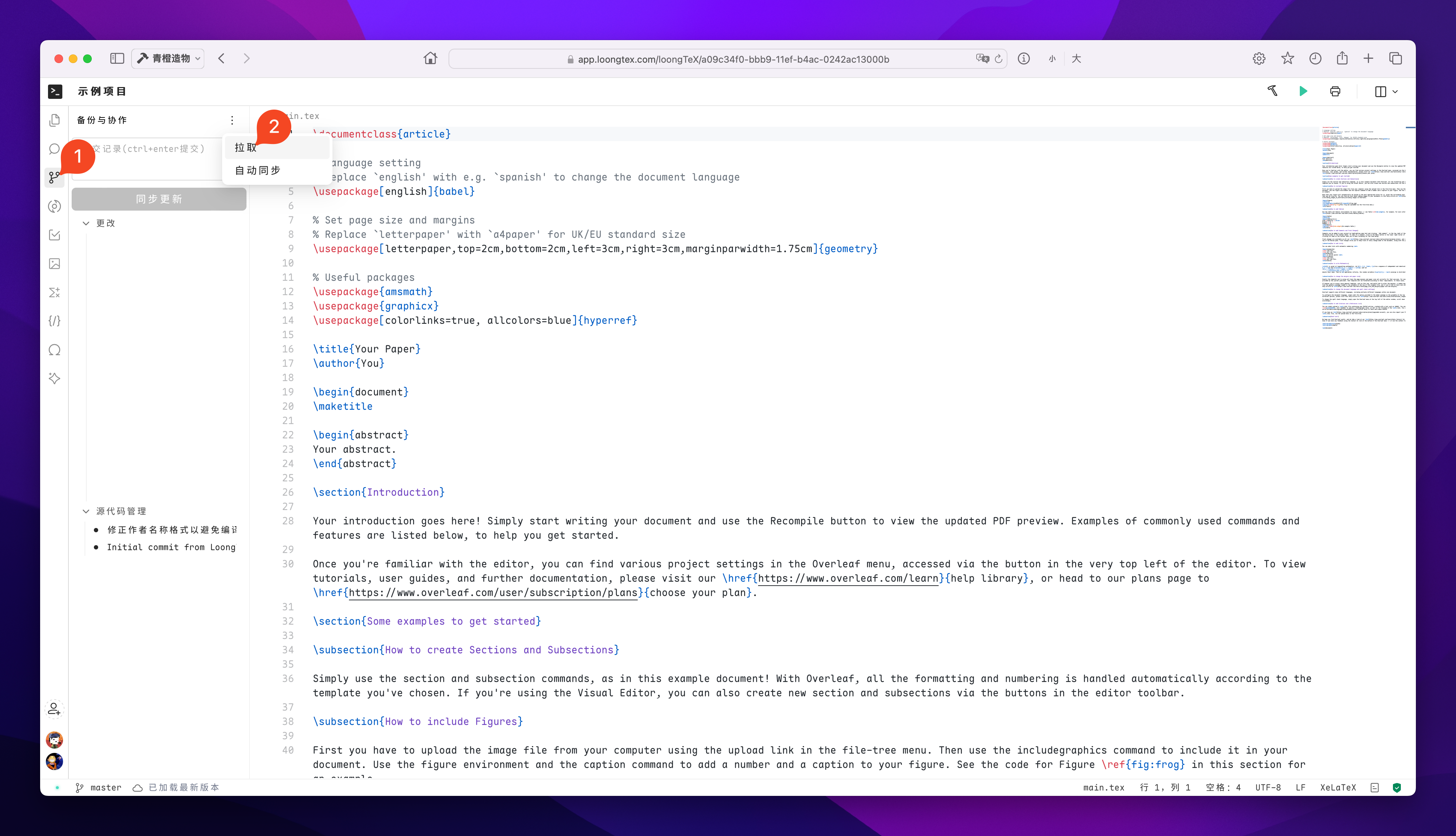
1. Get the Latest Version
After opening a project each time, the first step is to pull the team's latest content.
This ensures you're editing based on all members' latest commits, avoiding subsequent merge conflicts. It's recommended to develop the habit of "pulling anytime".
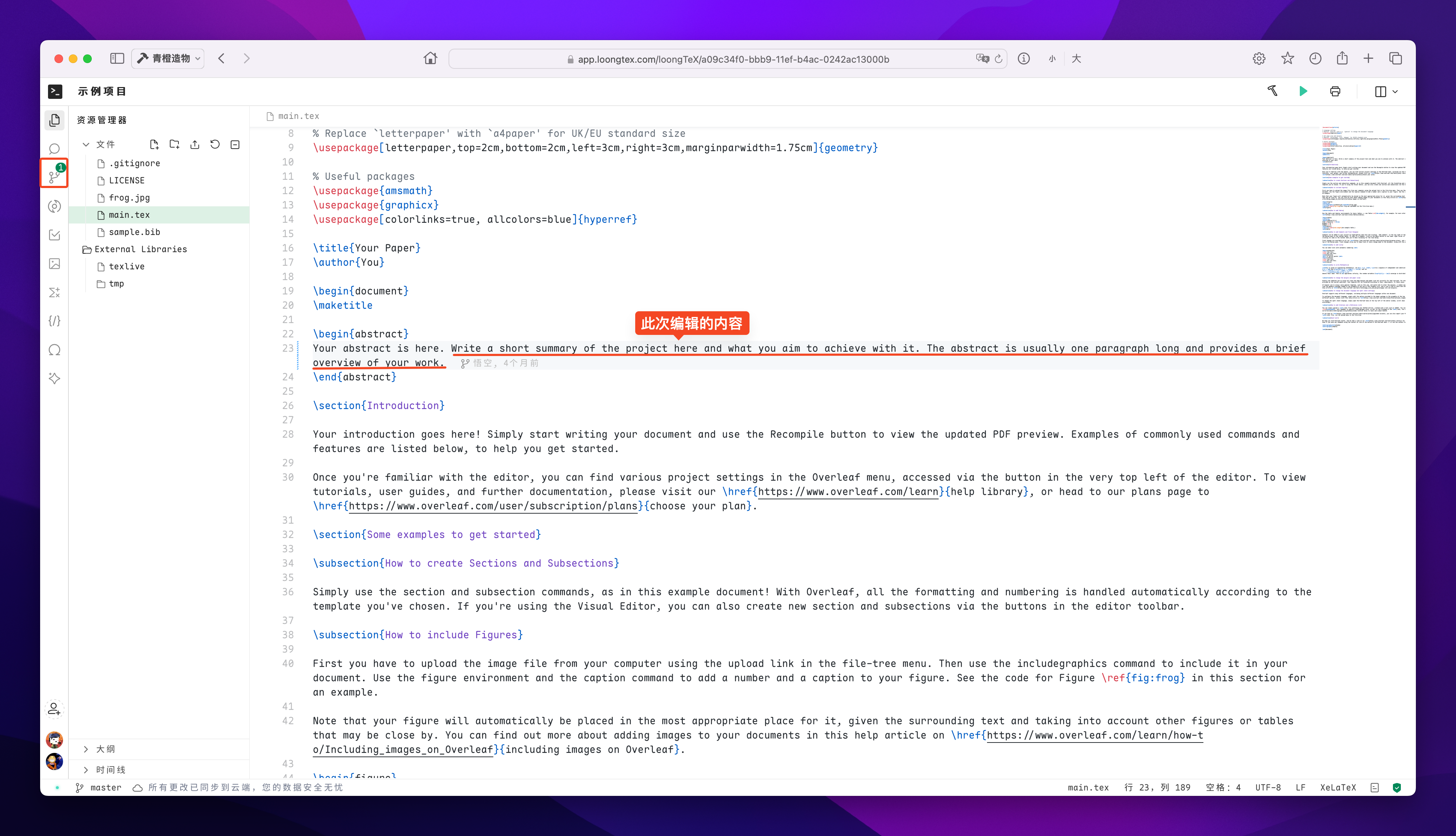
2. Local Editing and Saving
You can safely edit documents in your own workspace. Saving operations only save locally and won't immediately synchronize with other collaborators.
This mechanism provides sufficient privacy and freedom for your editing, allowing multiple modifications and adjustments before committing without worrying about others seeing incomplete content.
(When there's new content, a green marker will appear on the collaboration icon to remind us that active commits can be made)
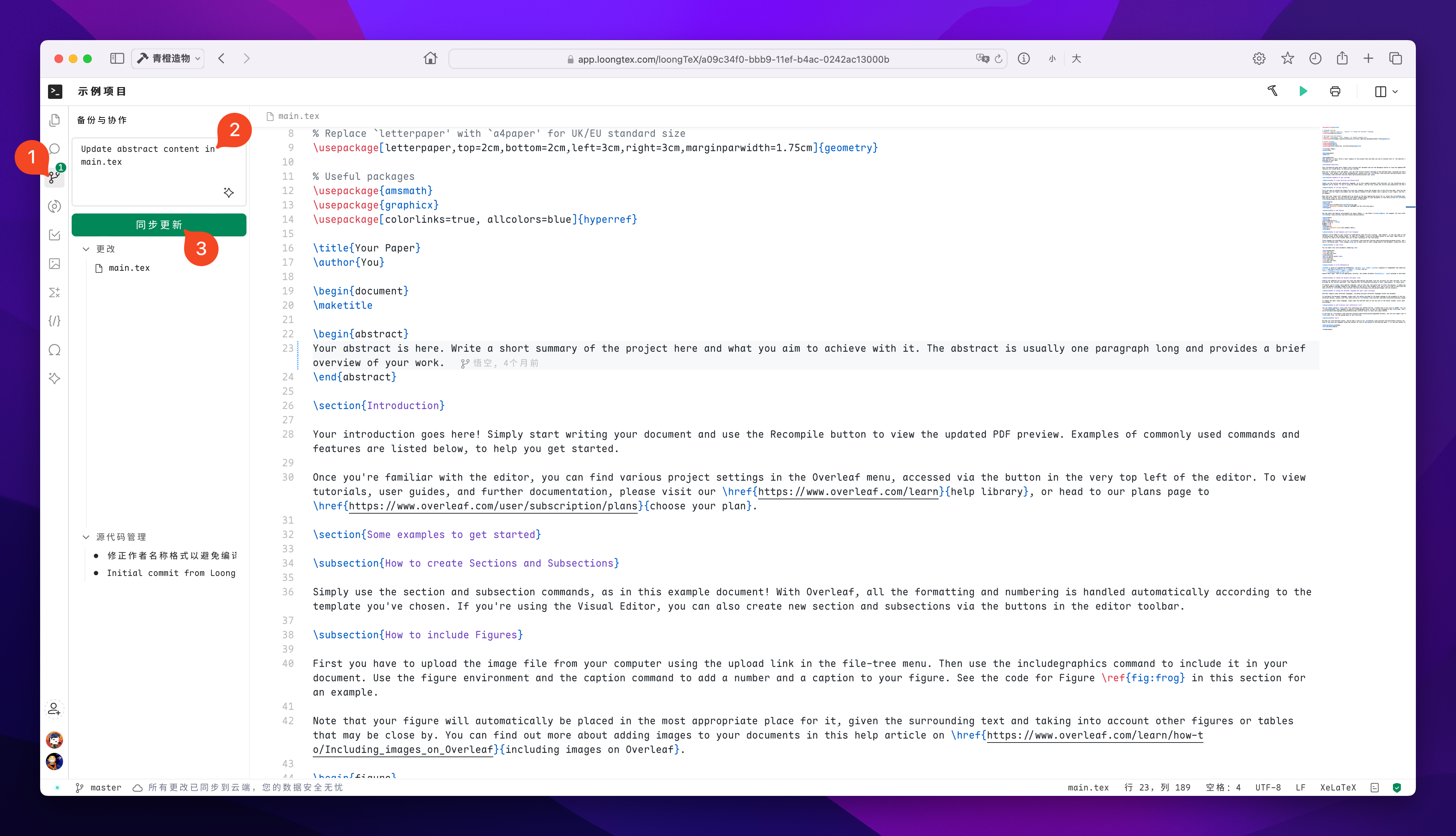
3. Active Commit
After editing, be sure to click the "Sync Update" button to archive and upload current modifications to the project repository.
Each commit generates an independent version snapshot, facilitating subsequent review and tracing.
Only after committing will your modifications be visible to other members.
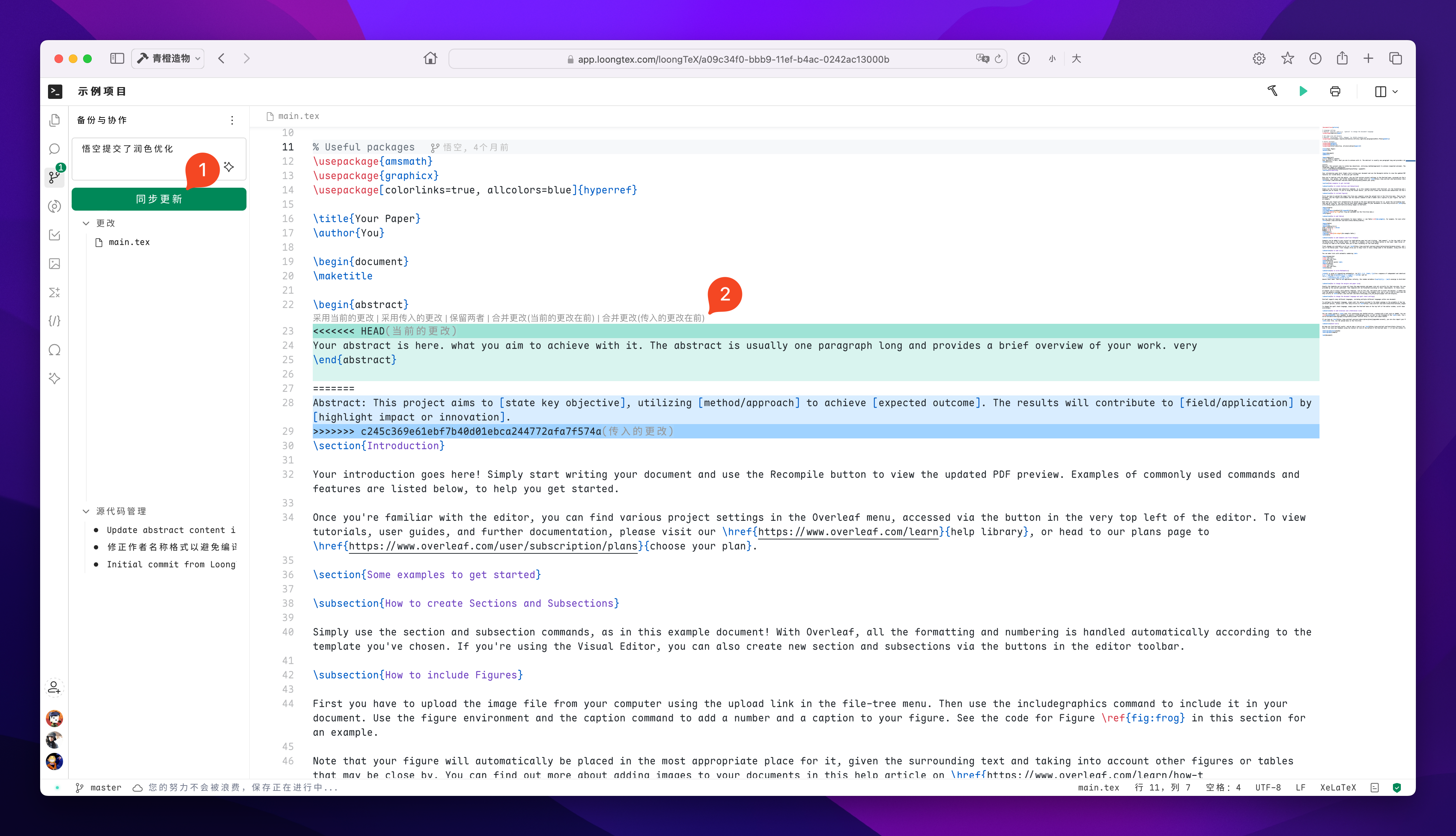
4. Synchronization and Merging
When multiple people modify the same document simultaneously, after you commit, the system will automatically detect if there are version conflicts. If conflicts exist, the interface will pop up merge prompts. You can preview specific differences, choose to keep your own or others' modifications, or manually merge both contents.
After processing, commit again to complete collaborative merging, ensuring no contributions are lost.
LoongTeX —— Making Research Happen Better
FOR TRUTH AND BEAUTY