Export Your Work
This document explains how to export LoongTeX projects as .zip files or download only the final typeset PDF.
Download Compiled PDF Files
There are two methods to download PDF files
First Method:
After the project is correctly compiled, it will automatically preview on the right side of the editor. There is a toolbox on the PDF, click "More", then click download. As shown below👇
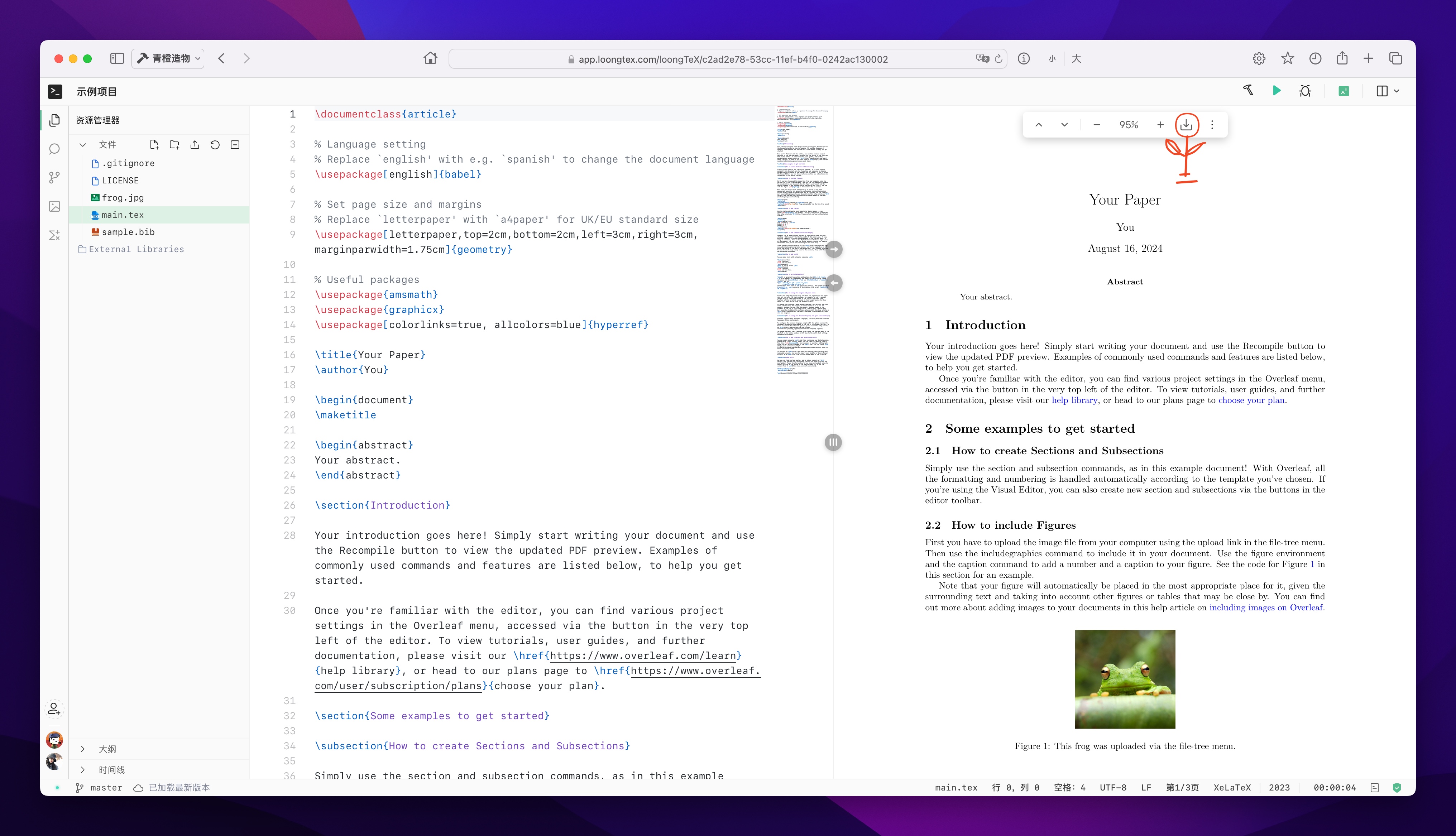
Depending on your browser and its configuration, the PDF file will be saved to your download folder. Additionally, the downloaded PDF will have the same name as your LoongTeX project.
Second Method:
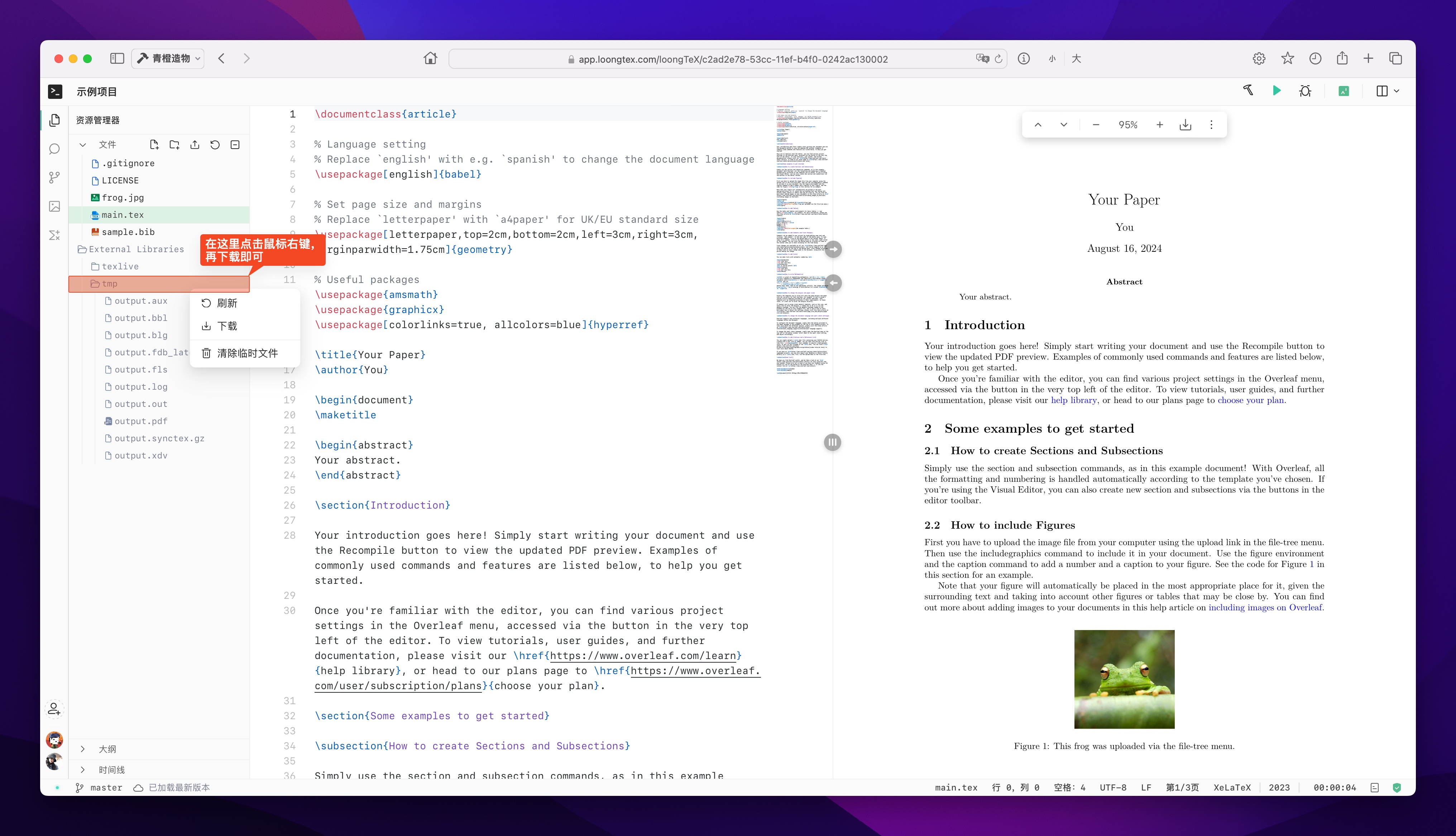
The file downloaded this way is a .zip format archive. After extraction, the folder will contain all files generated during the compilation process (in short, besides the compiled PDF file, the folder will also contain some other temporary files that are not useful, you can delete them.)
Download LoongTeX Project
Here, we demonstrate how to download the current project as a .zip file.
To download your current project as a .zip file, we also support two methods. The first is in the project list, click "More", then click "Download". As shown below👇
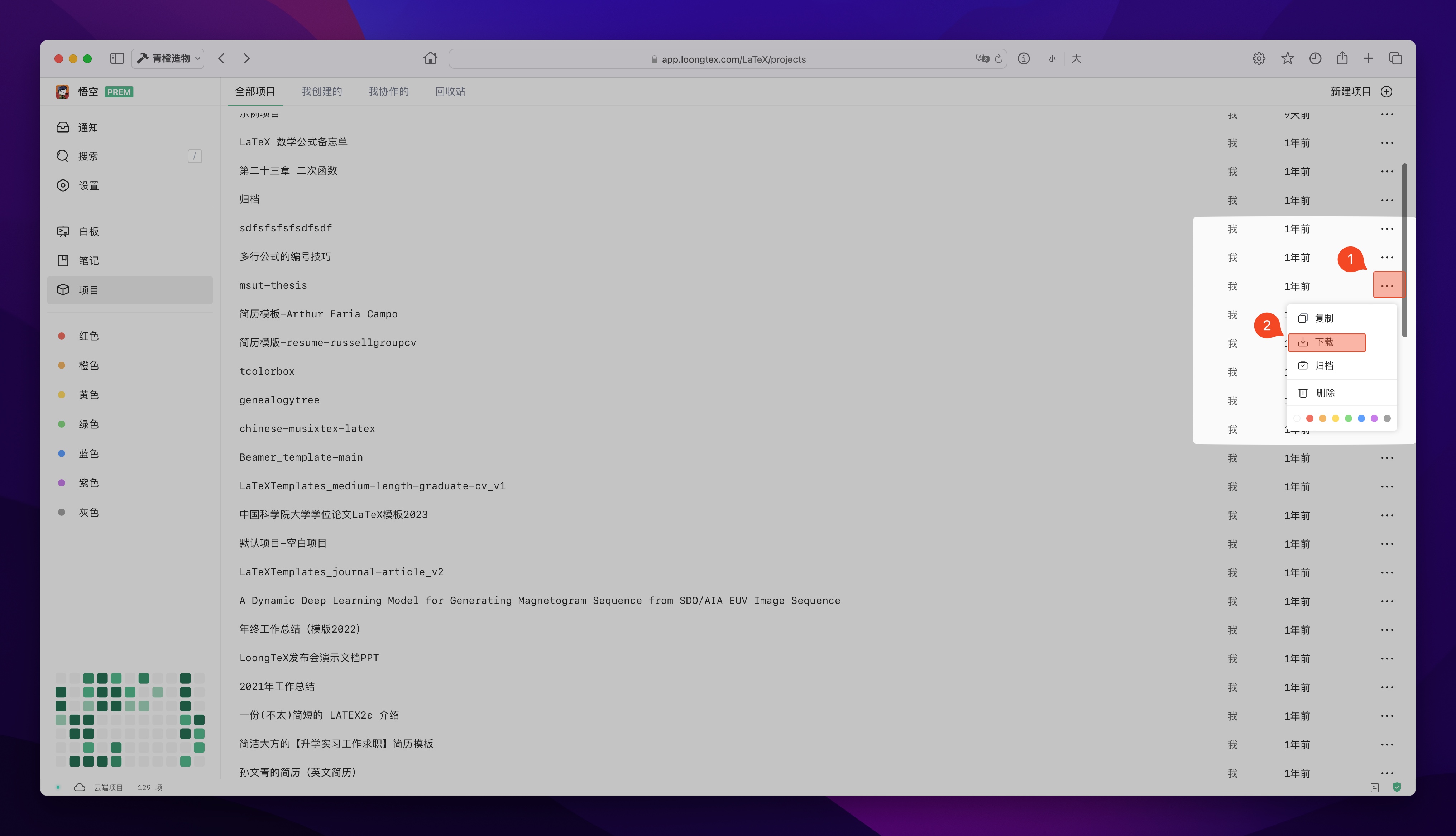
The project source code will be downloaded as a .zip file, which will typically be saved to your download folder, depending on your browser. By default, the .zip file will have the same name as your LoongTeX project.
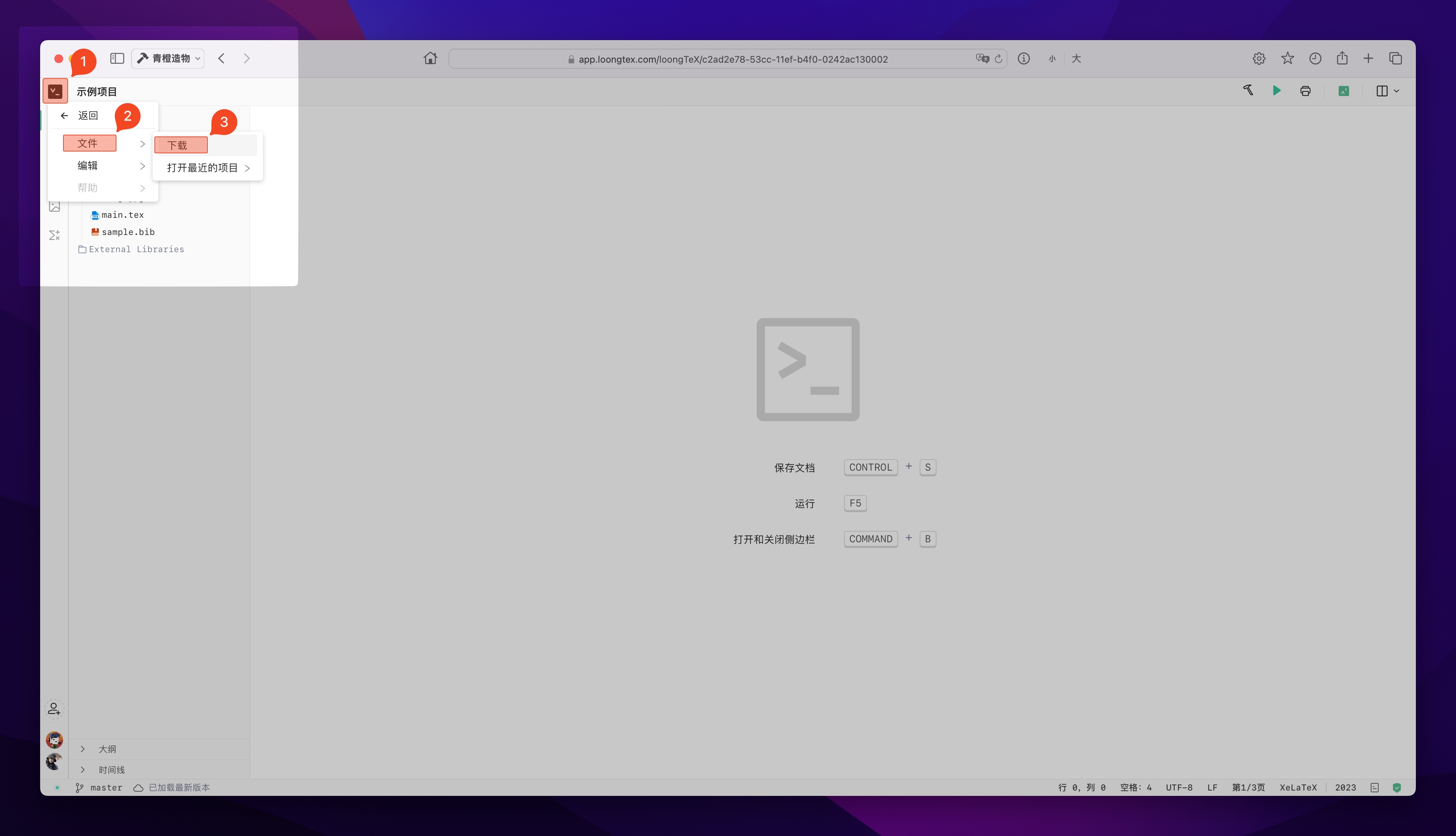
The second method is to download in the editor. As shown below👇
LoongTeX —— Making Research Happen Better
FOR TRUTH AND BEAUTY