Copy to Create Project
This article demonstrates how to copy a LoongTeX project.
1. In the Project Management Page, find the project you want to copy:
On the far right of the project list, there is an Update Operation icon "...", click it; as shown below👇
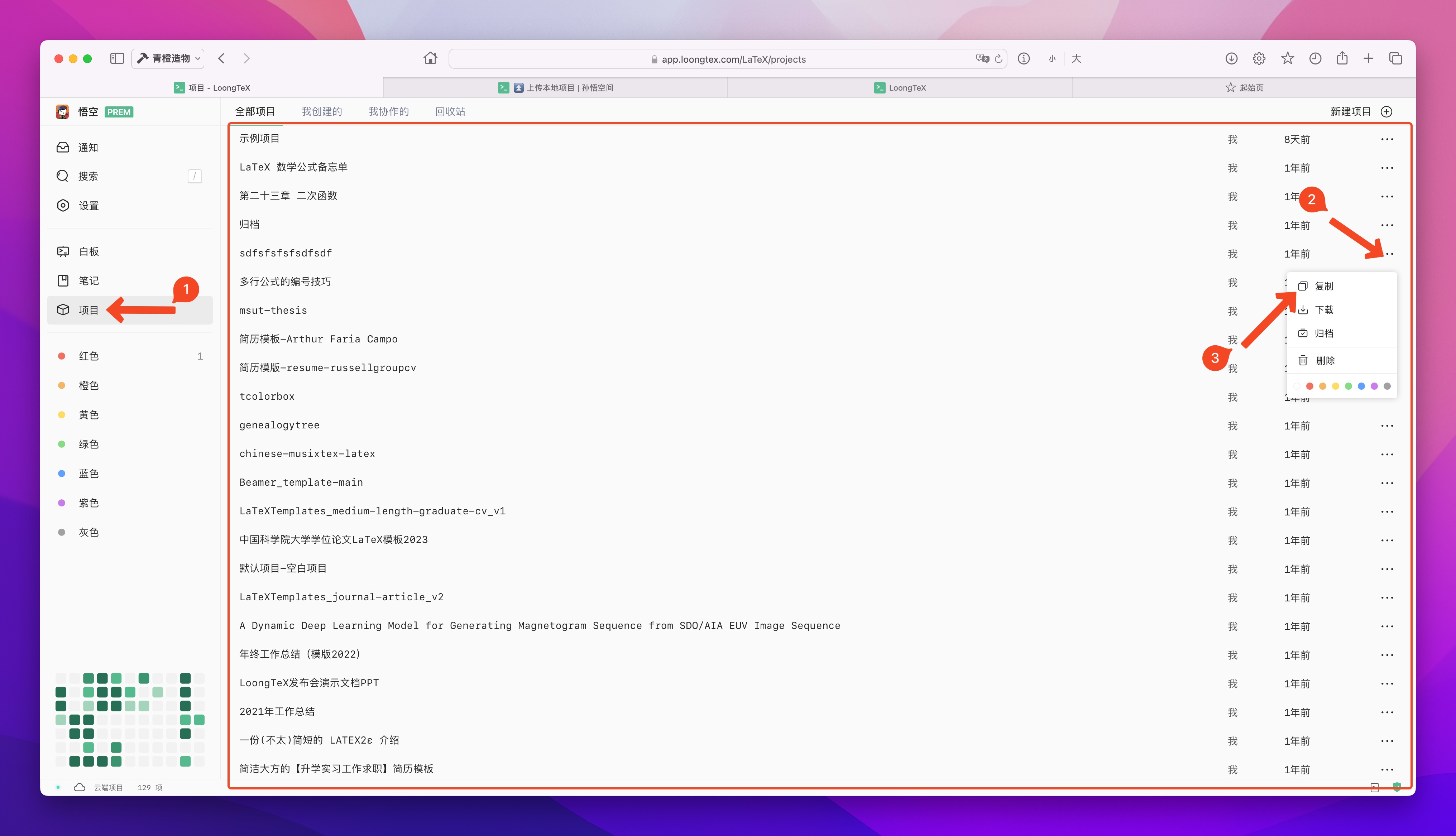
2. Set a new name for your copied project
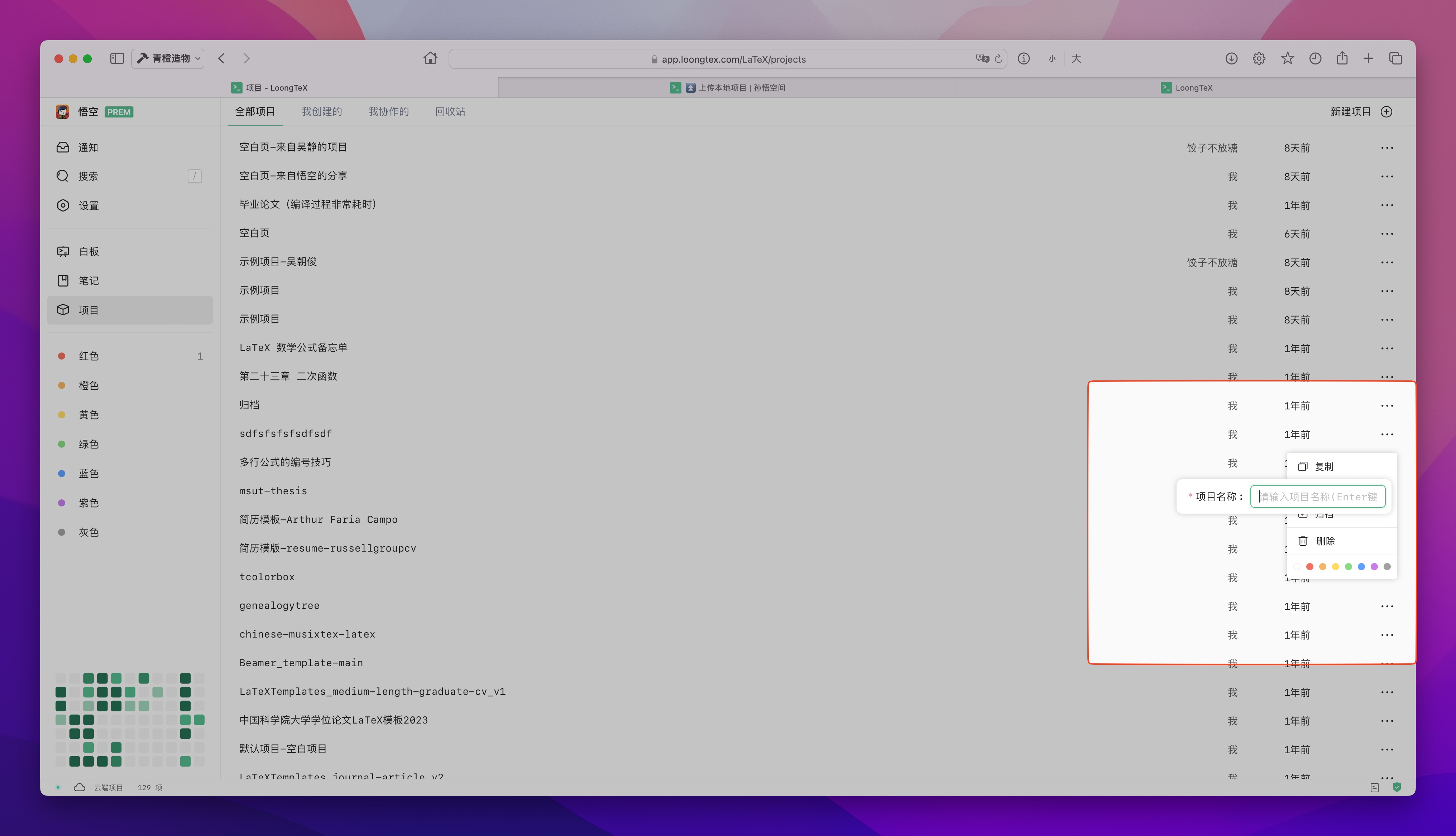
Our system allows different projects to use the same name, but please don't do this.
Enter the new project name in the pop-up input box, press Enter to confirm; as shown below👇
LoongTeX —— Making Research Happen Better
FOR TRUTH AND BEAUTY