Upload Local Project
This document explains how to create a LoongTeX project by uploading a .zip compressed file containing LaTeX files.
-
Create a .zip file containing local files (images, bibliographies, fonts, .tex source files, etc.). (LoongTeX currently only supports .zip format archives)
-
On the Project Management Page, click New Project, a dialog will appear, as shown below👇
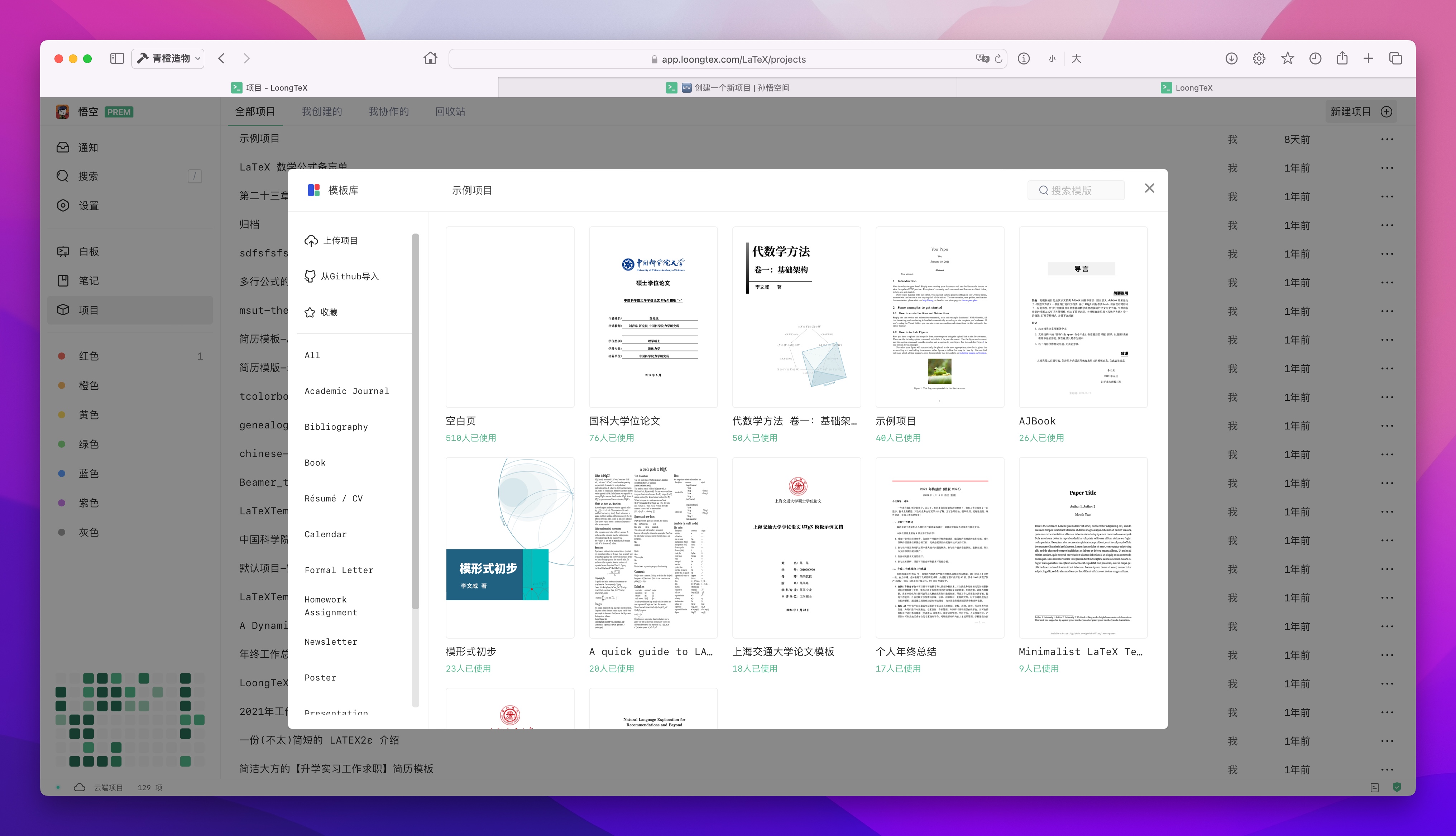
- Click Upload Project in the dialog, as shown below👇
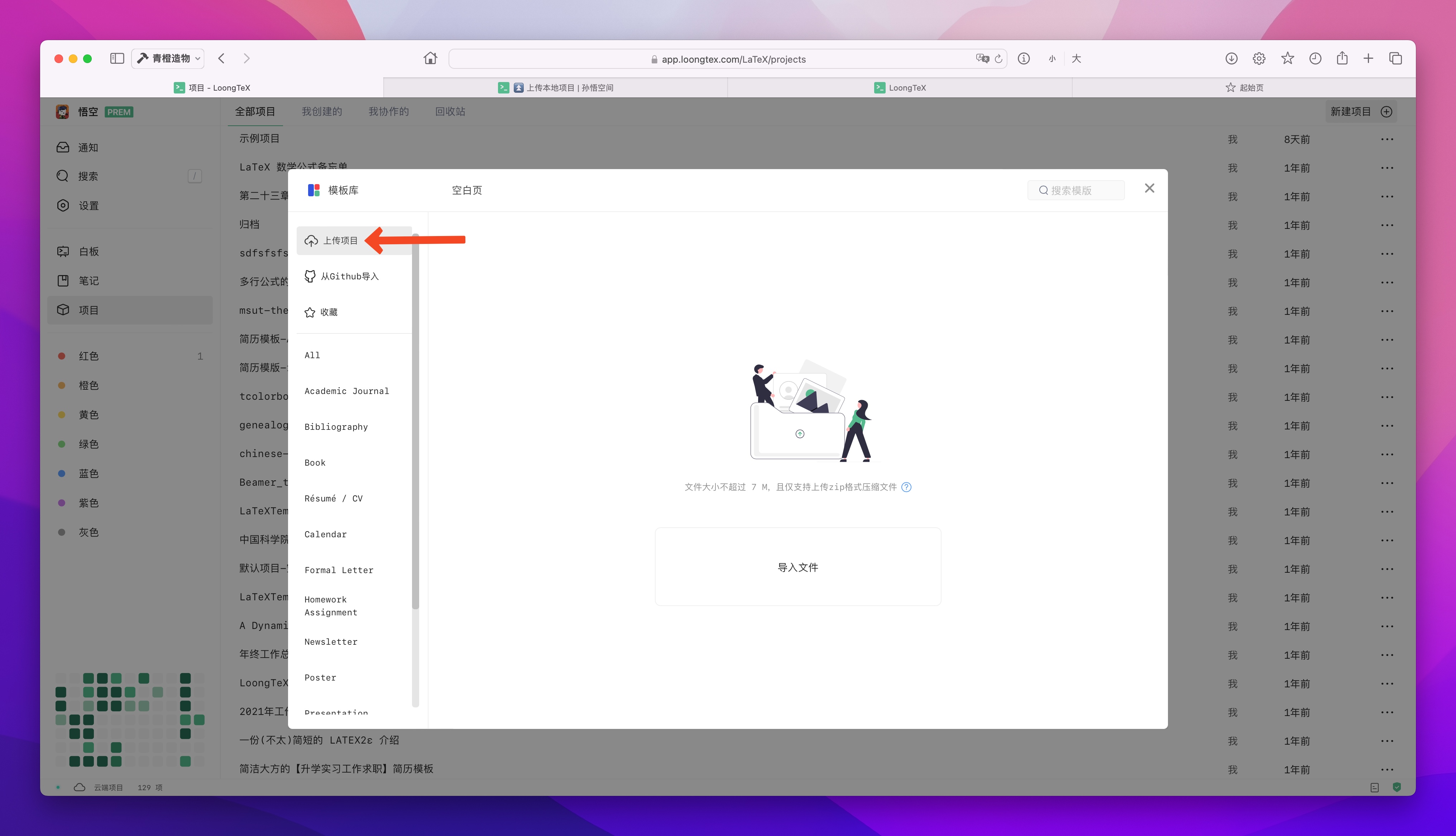
- Click "Import File"
You can drag and drop the .zip file into this window, or choose to select a .zip file to locate the .zip file stored on your device.
-
LoongTeX will extract the uploaded .zip file on the server side to extract files and create a project in your account.
-
Then, the platform will automatically jump to the Project Management Page, where you'll see that a new project has been created there.
You now have a new LoongTeX project that can be edited and compiled. ⚠️Note: If your LaTeX code requires LuaLaTeX or XeLaTeX, you need to set the project's LaTeX compiler.
Additional Notes on File Upload
- For free users: Maximum support for uploading 7M .zip archives;
- For subscribed users: Maximum support for uploading 70M .zip archives;
LoongTeX —— Making Research Happen Better
FOR TRUTH AND BEAUTY