History Record "Timeline" Feature
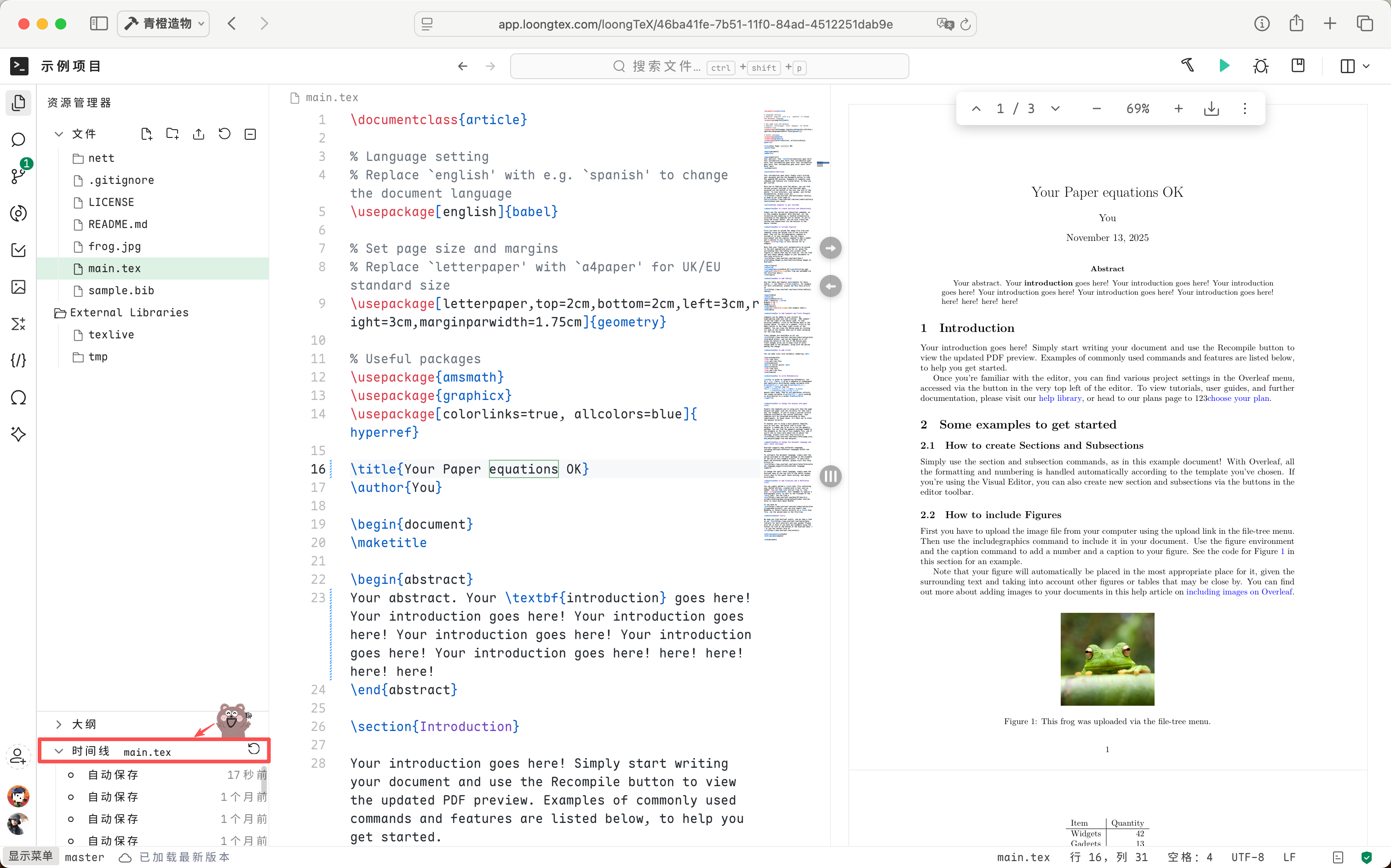
1. Feature Introduction
LoongTeX has newly launched the "History Record [Timeline]" feature. In scientific research writing, users often need to frequently modify manuscripts while worrying about data loss or forgetting to save. This feature records every important editing moment for you through an automatic saving mechanism, keeping manuscripts always safe and traceable.
2. Feature Trigger Logic Explanation
LoongTeX automatically triggers saves based on your editing behavior:
- During brief pauses: If you suddenly stop while editing, the system will automatically save once after 10 seconds 📍.
- During continuous editing: If you keep typing or modifying continuously, the system will automatically save once every 30 seconds 📍.
No manual operation is required; the system will quietly preserve your latest progress for you.
3. Usage Scenario Examples
Scenario One: Brief Pause
You're writing the methodology section of your paper, typing rapidly, and suddenly get stuck—perhaps thinking of a more elegant expression or pondering data analysis logic. At this moment, LoongTeX is like a considerate assistant, quietly watching you. When it notices you've stopped, after exactly 10 seconds, snap, it automatically saves for you. Even if you suddenly get distracted and watch a video, your inspiration and modifications won't be wasted.
Scenario Two: Long Continuous Input
When you get into the zone, frantically outputting experimental results, fingers flying across the keyboard, typing continuously for two or three hours. At this point, you have no time or mood to click "save." LoongTeX won't disturb you either; it automatically records your progress every 30 seconds. Even if your computer suddenly blue-screens or the browser crashes, you can find that smooth-flowing achievement on the timeline. In other words: you just focus on writing, leave the rest to LoongTeX.
4. Feature Advantages
- Data Security: Whether due to network fluctuations or device abnormalities, manuscripts have the latest copies available for recovery.
- Improved Efficiency: No need to frequently click "save," focus on writing itself.
- Automation and Convenience: The system automatically judges editing status and flexibly triggers saves.
- Traceable Version History: You can backtrack different save nodes in the timeline, easily compare and restore.
5. Frequently Asked Questions (FAQ)
Q1: Will automatic saving overwrite the original text?
Rest assured, absolutely not. LoongTeX isn't that foolish; each automatic save creates a new "historical node," everything you wrote before is still there. Simply put, it's "backup with backup."
Q2: Can I access previous versions?
Of course you can. That's the meaning of "timeline." You can always look back at how you wrote at that time, restore if you want, compare if you want. It's like having a time machine with you.
Q3: Will automatic saving cause lag, affecting writing?
No. LoongTeX's saving is done secretly in the background; you won't even notice it. It doesn't disturb, doesn't slow down, you just focus on writing, leave the rest to us.
LoongTeX —— Making Research Happen Better
FOR TRUTH AND BEAUTY