Software Usage Introduction
In this guide, we hope to give you a preliminary understanding of LaTeX. This guide does not require any prior knowledge about LaTeX, but when you complete it, you will write your first LaTeX document and hopefully gain some understanding of the basic features that LaTeX provides.
Table of Contents
- What is LaTeX?
- Why Learn LaTeX?
- Write Your First LaTeX Article
- Document Preamble
- Adding Title, Author, and Date
- Adding Comments
- Bold, Italics, and Underlining
- Adding Images
- Captions, Labels, and References
- Creating Lists in LaTeX
- Unordered Lists
- Ordered Lists
- Adding Mathematical Operations in LaTeX
- Basic Formatting
- Abstract
- Paragraphs and Line Breaks
- Chapters and Sections
- Creating Tables
- Creating a Simple Table in LaTeX
- Adding Borders
- Captions, Labels, and References
- Adding a Table of Contents
- Downloading Your Finished File
What is LaTeX?
LaTeX (pronounced LAY-tek or LAH-tek) is a tool for creating professional-looking documents. It is based on the WYSIWYM (What You See Is What You Mean) philosophy, meaning you only need to focus on your document content, while the computer handles formatting issues. Users don't need to control formatting by spacing text on pages like in Microsoft Word or LibreOffice Writer, but can input plain text and let LaTeX handle the rest.
Why Learn LaTeX?
LaTeX is used worldwide for scientific documents, books, and many other forms of publication. It not only creates beautifully typeset documents but also allows users to quickly handle more complex aspects of typesetting, such as entering mathematics, creating tables of contents, citations and bibliographies, and maintaining consistent layouts across all chapters. Due to the large number of open-source packages (which will be discussed in detail later), the possibilities with LaTeX are endless. These packages enable users to do more with LaTeX, such as adding footnotes, drawing diagrams, creating tables, and more.
One of the most important reasons people use LaTeX is that it separates document content from style. This means that once you've written your document content, we can easily change its appearance. Similarly, you can create a document style to standardize the appearance of many different documents. This allows scientific journals to create templates for submissions. These templates have a pre-made layout, meaning only content needs to be added. In fact, there are hundreds of templates available, from resumes to slides.
Write Your First LaTeX Work
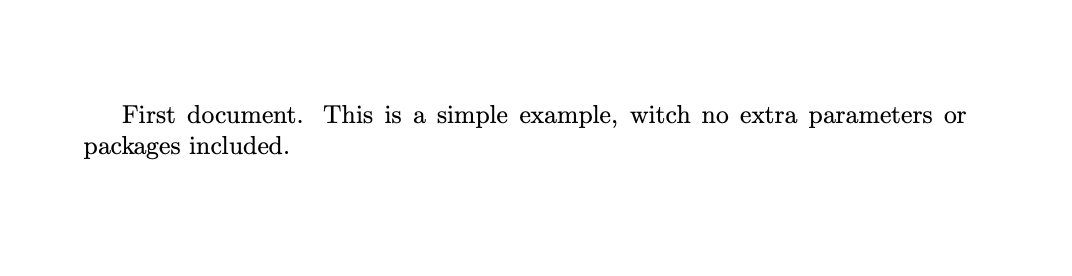
The first step is to create a new LaTeX project. You can create a new .tex file on your own computer or start a new project in Overleaf. Let's start with the simplest working example:
\documentclass{article}

\begin{document}
First document. This is a simple example, with no
extra parameters or packages included.
\end{document}
LoongTeX — Making Research Happen Better
FOR TRUTH AND BEAUTY